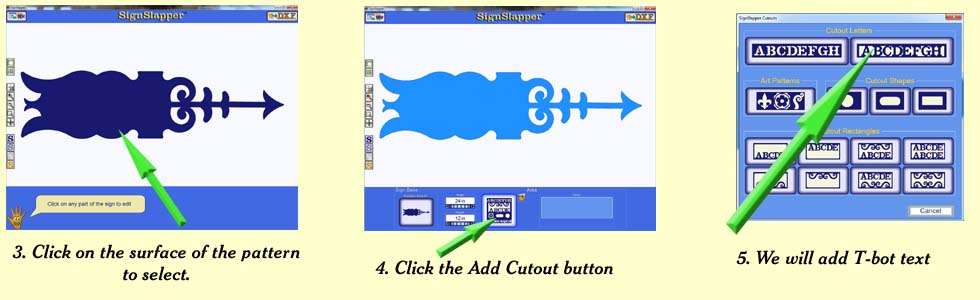
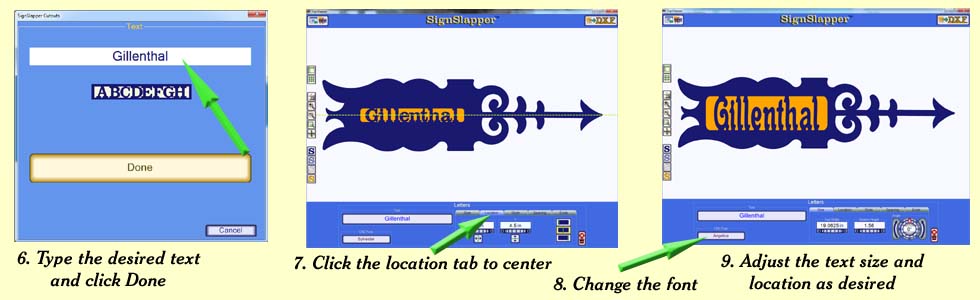
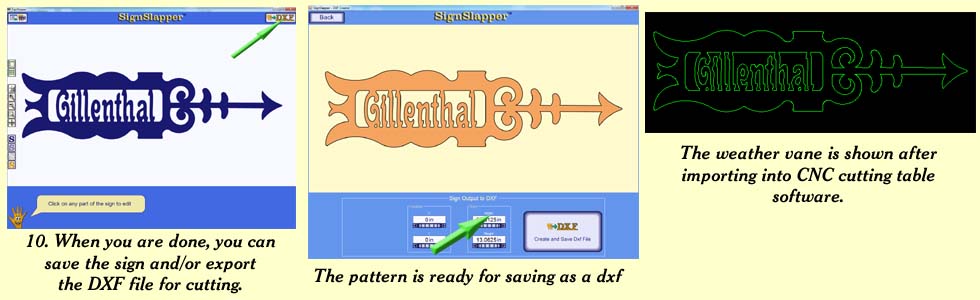
Image Import Frame Tutorial
2
Important:
If you do not already know how to create basic signs with
SignSlapper, please learn the basics before attempting this.
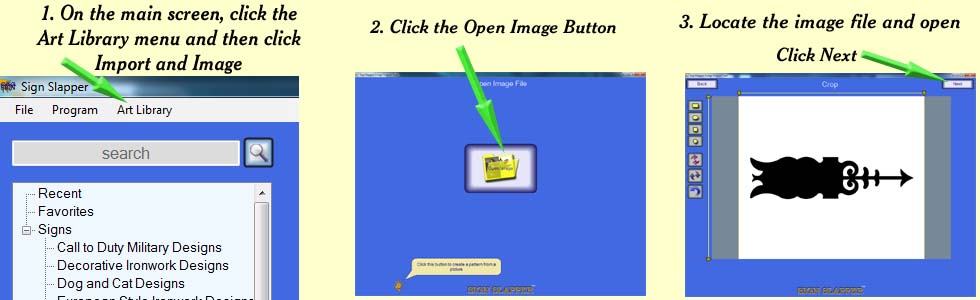
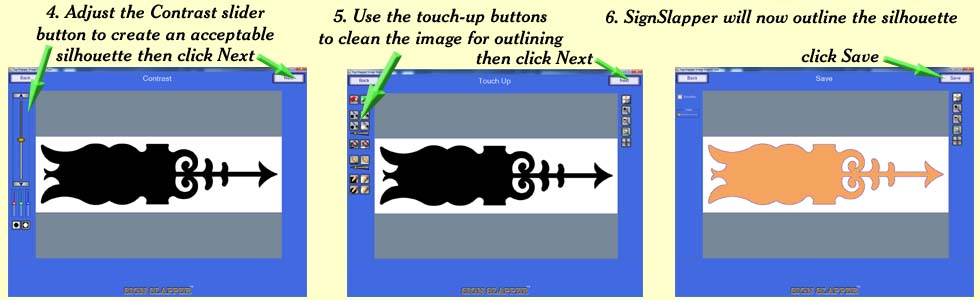
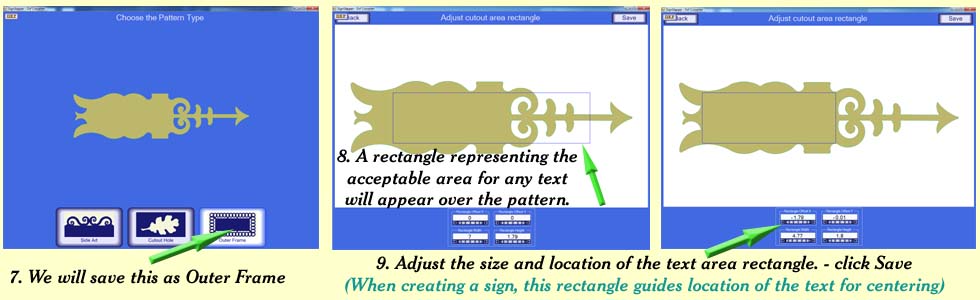
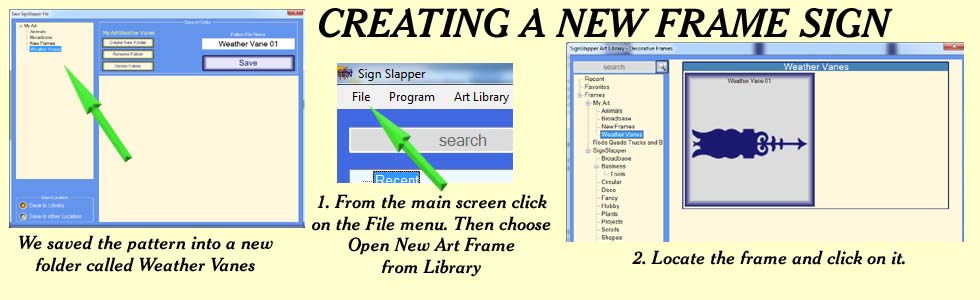
This tutorial shows how to import art from images or dxf files to create a sign frame template.
If you are importing art from a picture or image - Follow the insructions from the beginning.
If you are importing art from a dxf
file - On the main screen, click the Art Library menu, then click
Import and DXF.
Skip ahead to step 7.