
Printing and Saving
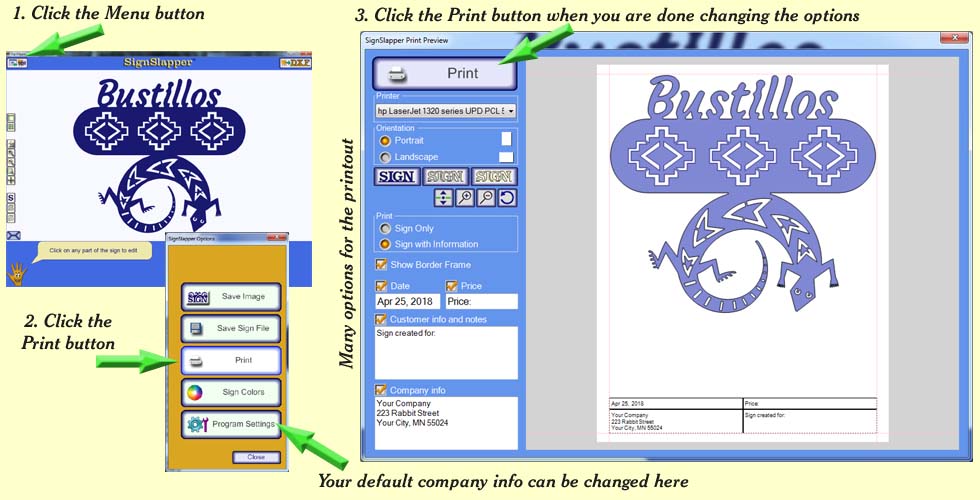
Printing:
SignSlapper allows you to print the sign as well as your
company name, address, phone number, web address, and the customer info
and price of the sign.
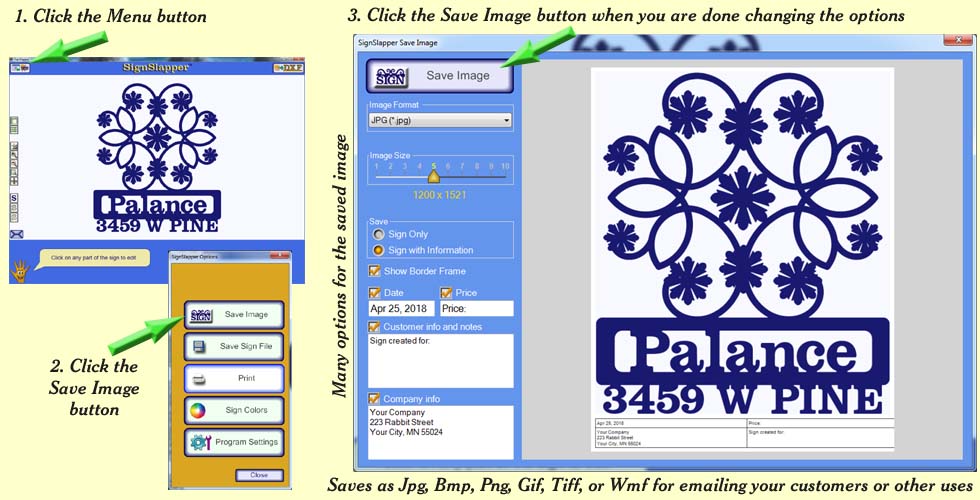
Saving to an image is similar to the printing process. You may choose whether to include borders, date, customer and company info. The sign image can be saved as JPG, BMP, PNG, TIFF, GIF, or WMF
All signs created by SignSlapper may be saved to your library or disc for sharing. Saving signs to your library allows you to use them as templates as needed. You simply open a sign, change the text or artwork as desired.
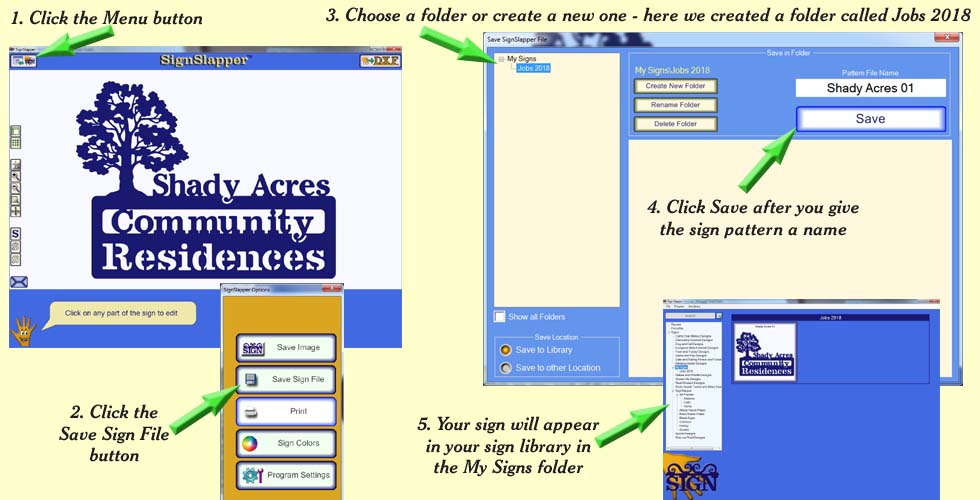
(SignSlapper files are
saved with a file extension of .sgn)